Как дать нам доступ
Пошаговые инструкции по четырём платформам — Google Business, Ads, Analytics и Tag Manager.
Google Business
4 шага
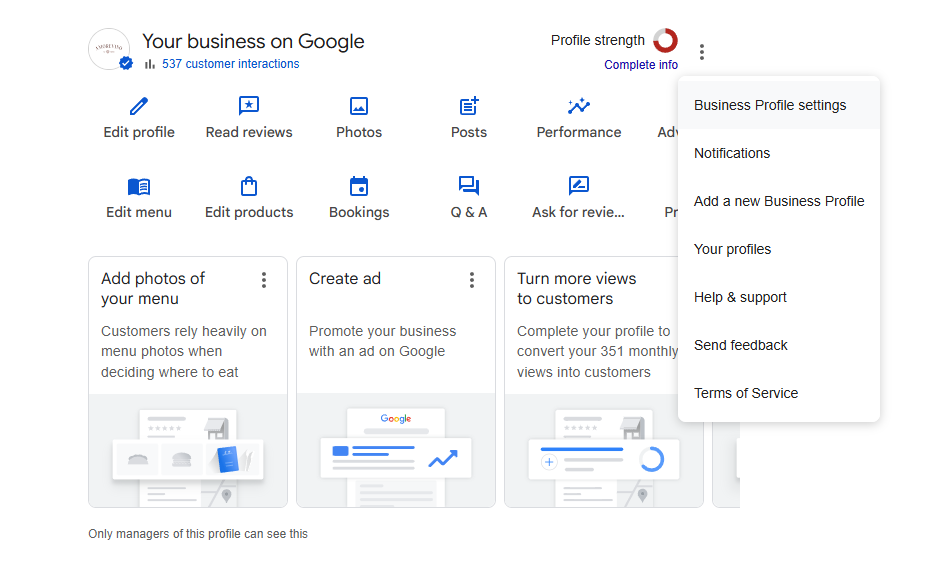
Перейдите в Google Business Profile. В правом верхнем углу нажмите на иконку меню (три точки) и выберите «Настройки Business Profile».
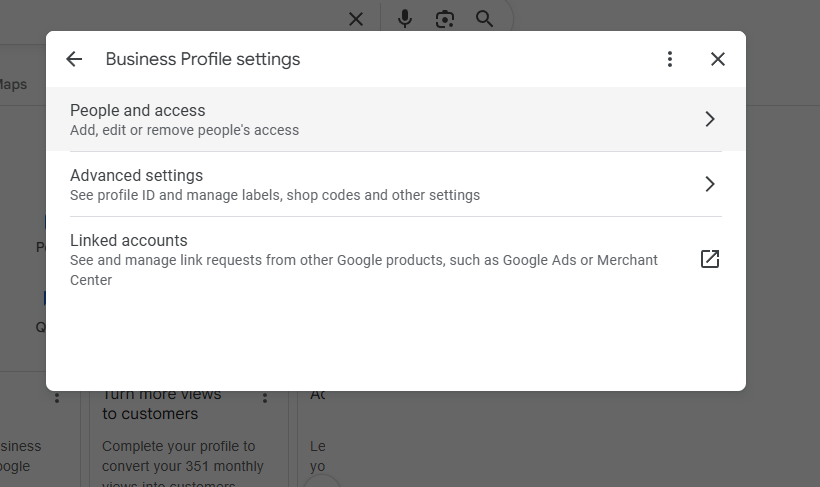
Откройте раздел «Люди и доступ».
Нажмите «+» для добавления нового пользователя.
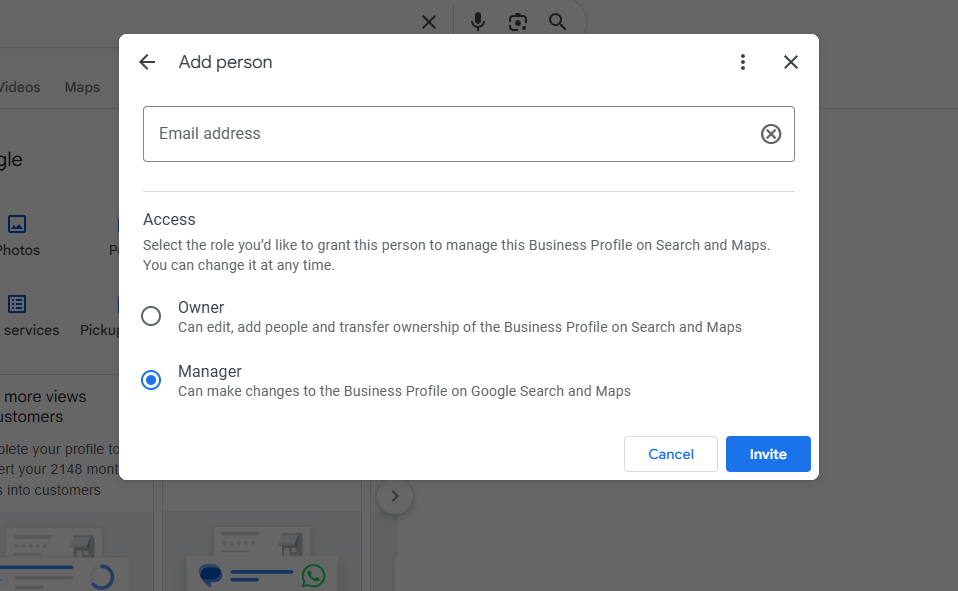
Введите наш email, назначьте роль «Менеджер» и подтвердите приглашение.
Google Ads
3 шага
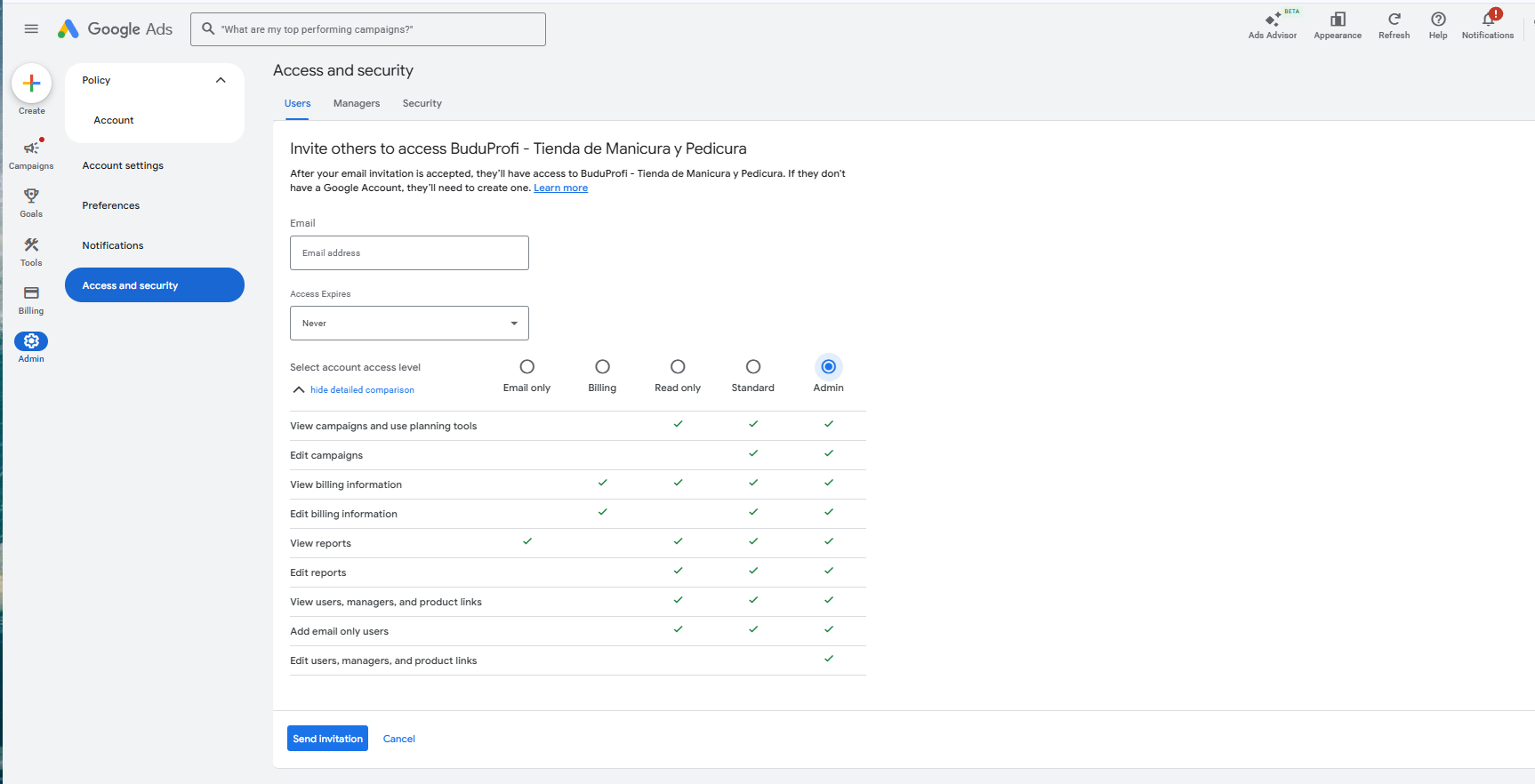
В Google Ads перейдите в «Администратор» → «Доступ и безопасность» → вкладка «Пользователи».
Нажмите «+» для добавления нового пользователя.
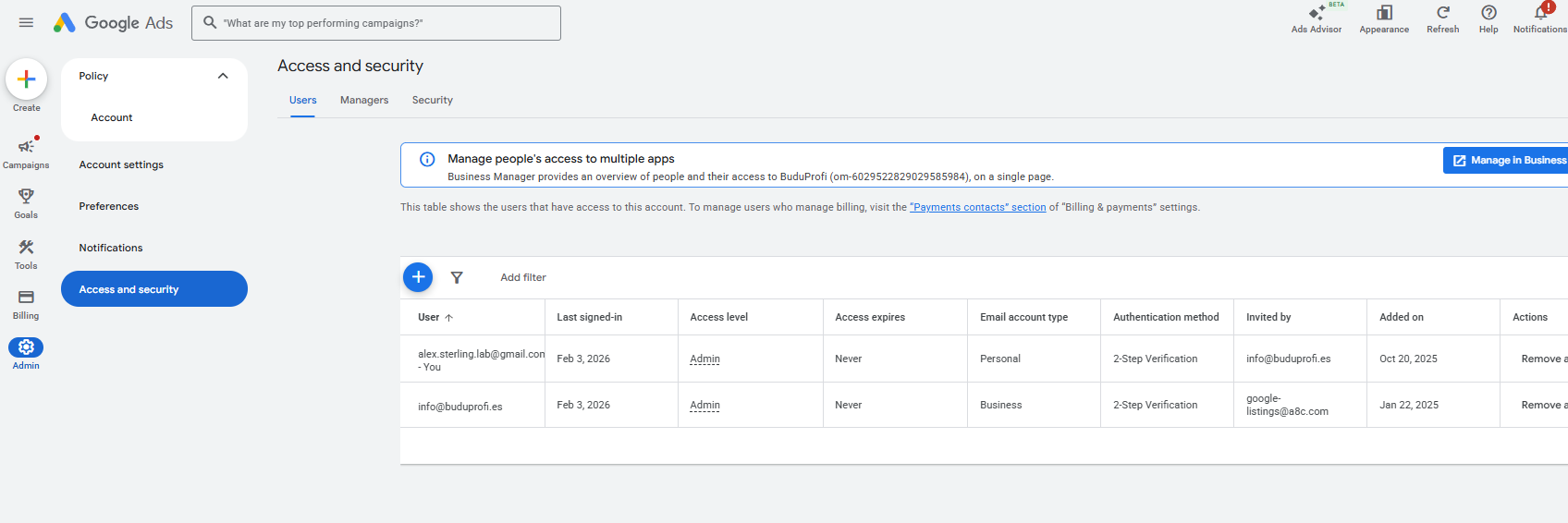
Введите наш email. Срок действия — «Без ограничений». Уровень доступа — «Администратор». Отправьте приглашение.
Google Analytics
4 шага
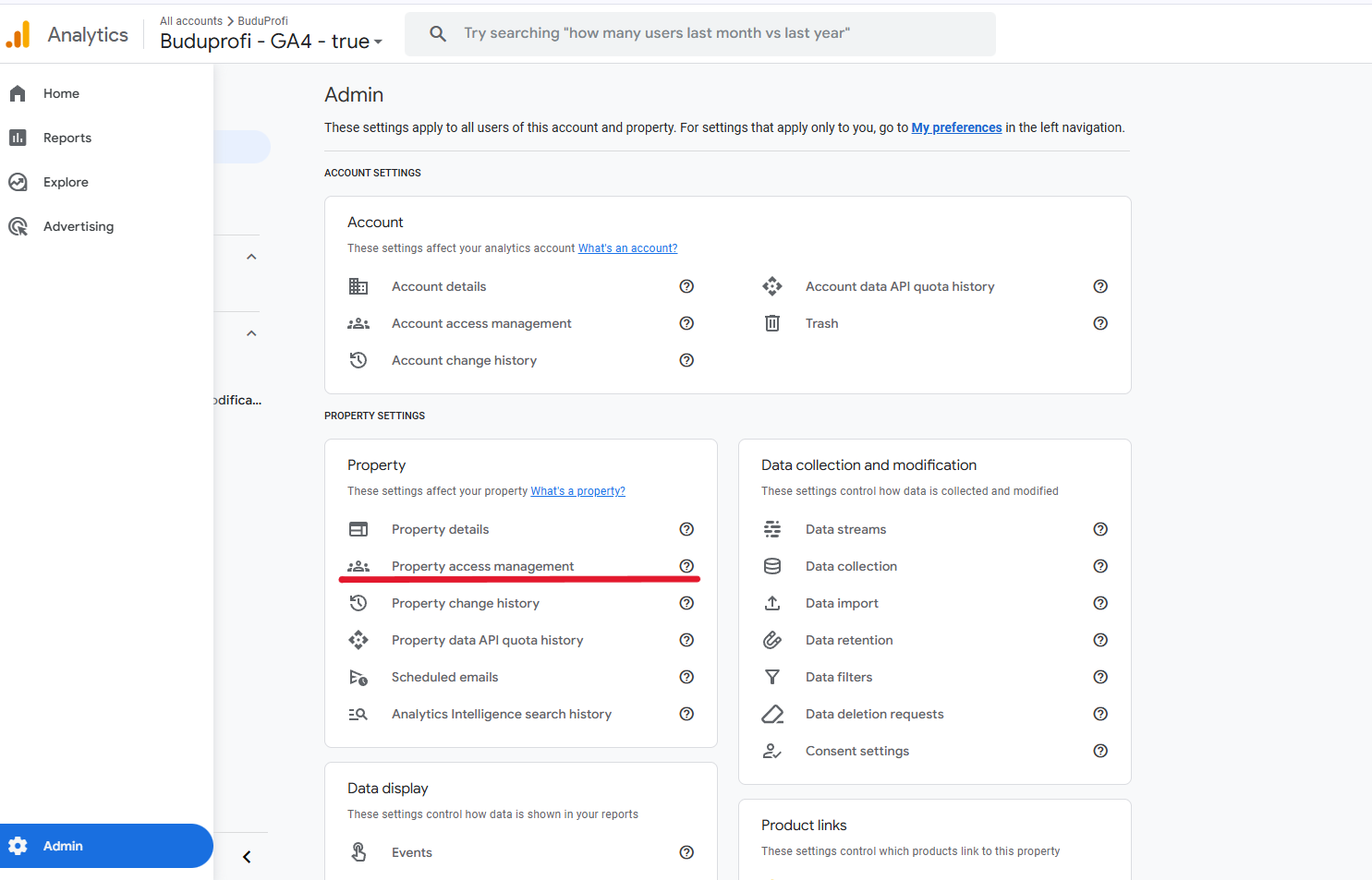
В Google Analytics 4 перейдите в «Администратор» — иконка шестерёнки в левом нижнем углу.
В колонке «Ресурс» выберите «Управление доступом к ресурсу».
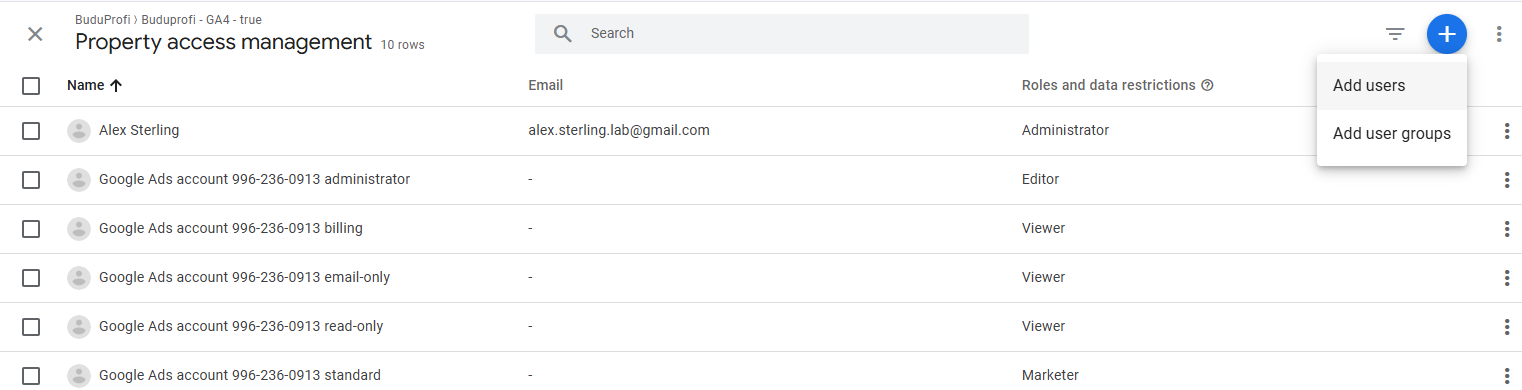
Нажмите «+» → «Добавить пользователей». Введите наш email. Оставьте уведомление по email включённым.
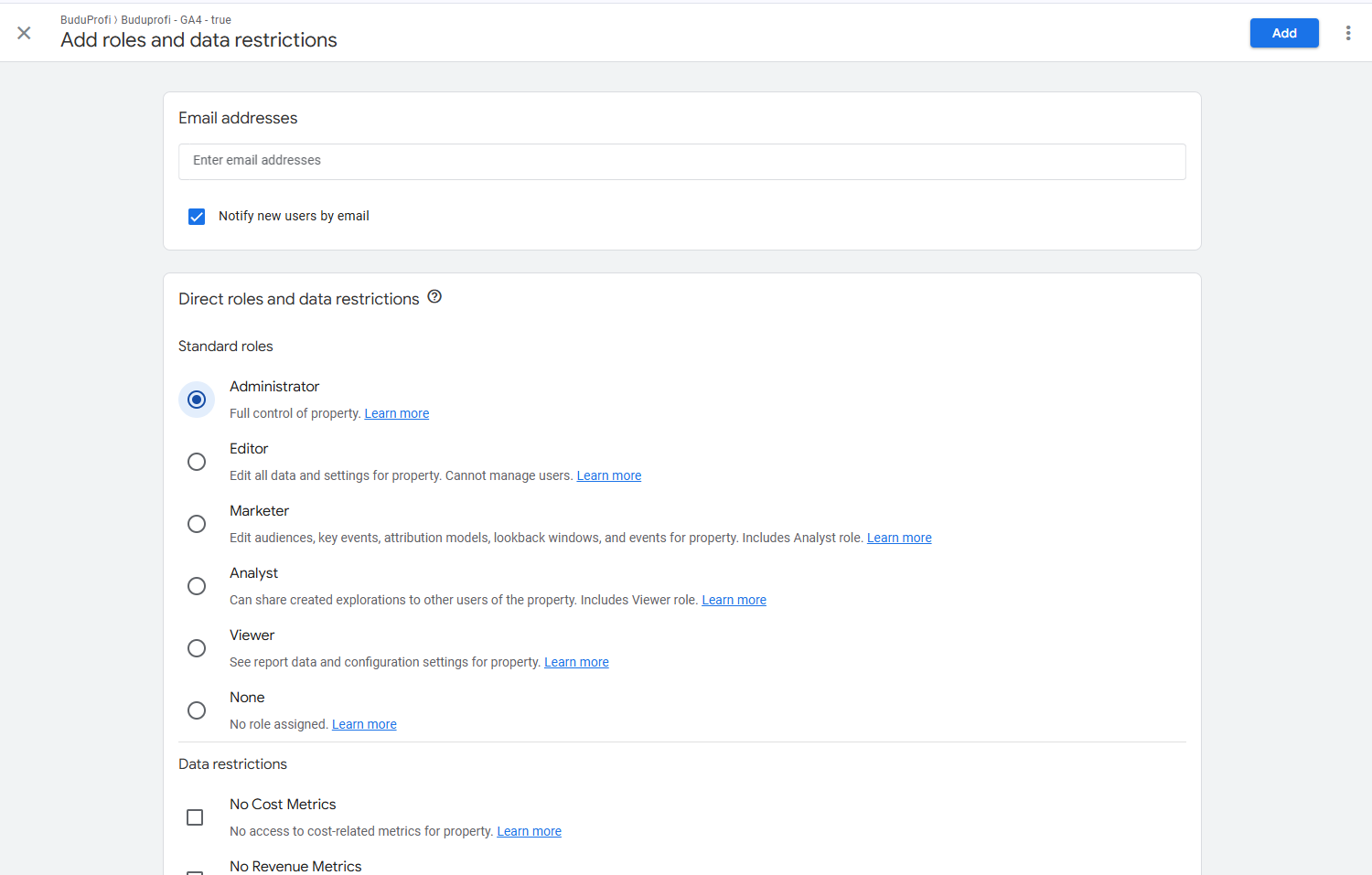
Назначьте роль «Администратор» и нажмите «Добавить».
Google Tag Manager
5 шагов
Перейдите на tagmanager.google.com. Откройте нужный аккаунт GTM.
Нажмите на иконку шестерёнки рядом с названием аккаунта → выберите «Управление пользователями на уровне аккаунта».
Нажмите «+» → «Добавить пользователей». Введите наш email.
Выберите роль «Администратор» — это даёт полный доступ ко всем контейнерам аккаунта. Сохраните.
Если нужен доступ только к одному контейнеру: в разделе «Контейнер» нажмите «Управление пользователями» → добавьте email с правом «Публикация».
Если возникли вопросы — напишите нам, поможем разобраться.